 Paste
A place for everything
Brand → Project → Library → Item. Shelves that match how your work is really organised, with Spaces to keep clients, work and home apart.
PasteLibrary keeps the prompts, replies, snippets and templates you use again and again, then hands you the right version, filled in, one copy away.
Hi {name},

Thank you for the lovely note about {product}. It made the whole team's {weekday}.

If anything ever feels off, reply here and I'll sort it.

{closing=Warmly|Best wishes|Cheers},
{signoff}
Hi Sam,

Thank you for the lovely note about PasteLibrary. It made the whole team's Thursday.

If anything ever feels off, reply here and I'll sort it.

Warmly,
Leon
On the shelves
A focused library for content that has already earned its place, with the dull parts done for you.
Brand → Project → Library → Item. Shelves that match how your work is really organised, with Spaces to keep clients, work and home apart.
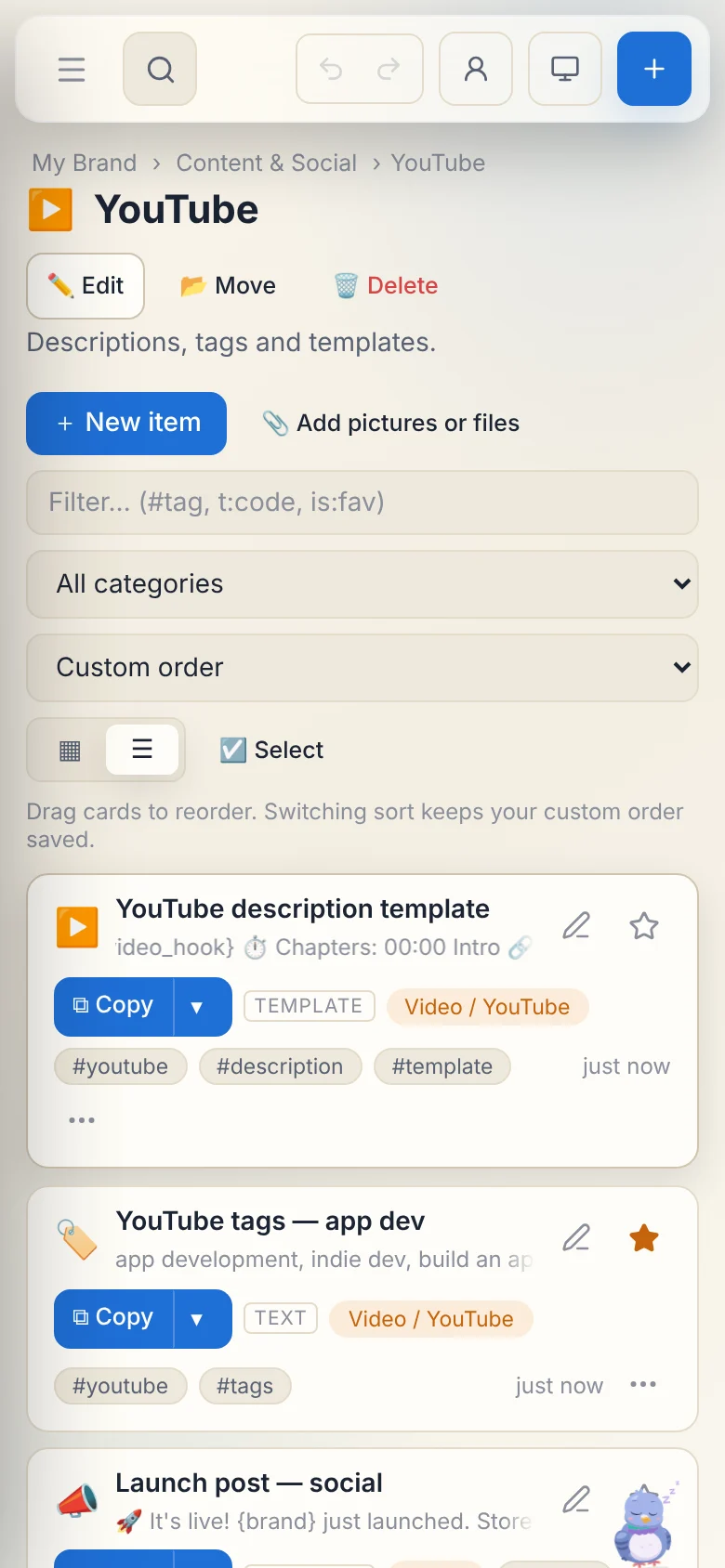
Ctrl+K searches every title, tag and word, forgivingly. "yt desc" finds your YouTube description template, and Enter copies it.
Plain text, Markdown, formatted, a fenced code block, a link with its title. One click for the usual, a menu for the rest.
Templates fill their own variables from the brand, the project or a profile, ask for anything still missing as you copy, and offer a choice where you want one: {tone=friendly|formal}.
Save the clipboard from anywhere. File it suggests the right library and learns from where you put things. Plain rules, no AI needed.
Your library stays on your device. No account, no tracking, nothing uploaded. We can't read your snippets and we don't want to.
Also on the desk: pictures and files as items, copy several items together, undo, a recoverable Trash, password-protected backups, and optional AI helpers that can run entirely on your PC. Sync, share links and team spaces are on the way.
Search across brands, projects and libraries, see exactly what will be copied, then press Enter. It's a command palette too: type "new", "dark" or "export".
#tag, t:code, in:youtube and is:fav
PasteLibrary is private and useful today. Optional sync will carry your library between desktop, phone and the browser extension later, without ever making the cloud a requirement.
Get sync updatesTurn any link or snippet into a styled code, with a logo, your colours, even animation: a scanner line, a twinkle, a heartbeat. Nothing is uploaded, and the code never expires because it never passed through us.
The small habits that keep a collection useful long after the first week, all on your device.
A discount code or a sponsor's offer can carry its last day. It's stamped in the list, the Dashboard says when one is close, and Copy reminds you once it has passed.
Give a snippet a short keyword. Type it in search and it comes first, so Enter copies it. Keywords come in from TextExpander, Alfred, Espanso and your Mac, and go back out as their triggers.
A choice becomes a dropdown when you copy, and {name=Friend} a default to type over. A brand's page lists the blanks you keep filling, to fill once for good.
Snippets you haven't touched in 90 days come back to you a few at a time: keep it or trash it, with Undo. Find duplicates does the same for copies saved twice.
Ready-made snippets for creators, support, freelancing, AI prompts and developers, to borrow on day one and make your own.
Your library in numbers, as a picture to keep or share: snippets, copies, time saved, best streak. Never what your snippets say.
Capture what deserves another use, from the app or straight off the clipboard. Or borrow a starter shelf to begin.
Give it a clear home and useful tags. Or let File it suggest one.
Search every library in a heartbeat, from any app on Windows.
Paste cleanly, in the right format, with the variables filled.
The same app, shipped three ways. Start in the browser today; the rest is in beta.
Open the web app and start. Nothing to download and nothing to sign up for. It installs like an app on desktop and phone if you want it to, and opens offline after the first visit.
Open the web appQuick search over any app with Ctrl+Shift+Space, a tray menu of your favourites, save-the-clipboard from anywhere and automatic backups.
Ask for the installerYour snippets in a toolbar popup on any page, kept up to date by the web app in the same browser or by the Windows app on the same PC, and right-click to save a selection for your Inbox. Store listings are on the way; until then it installs from a folder in a minute.
Get the extension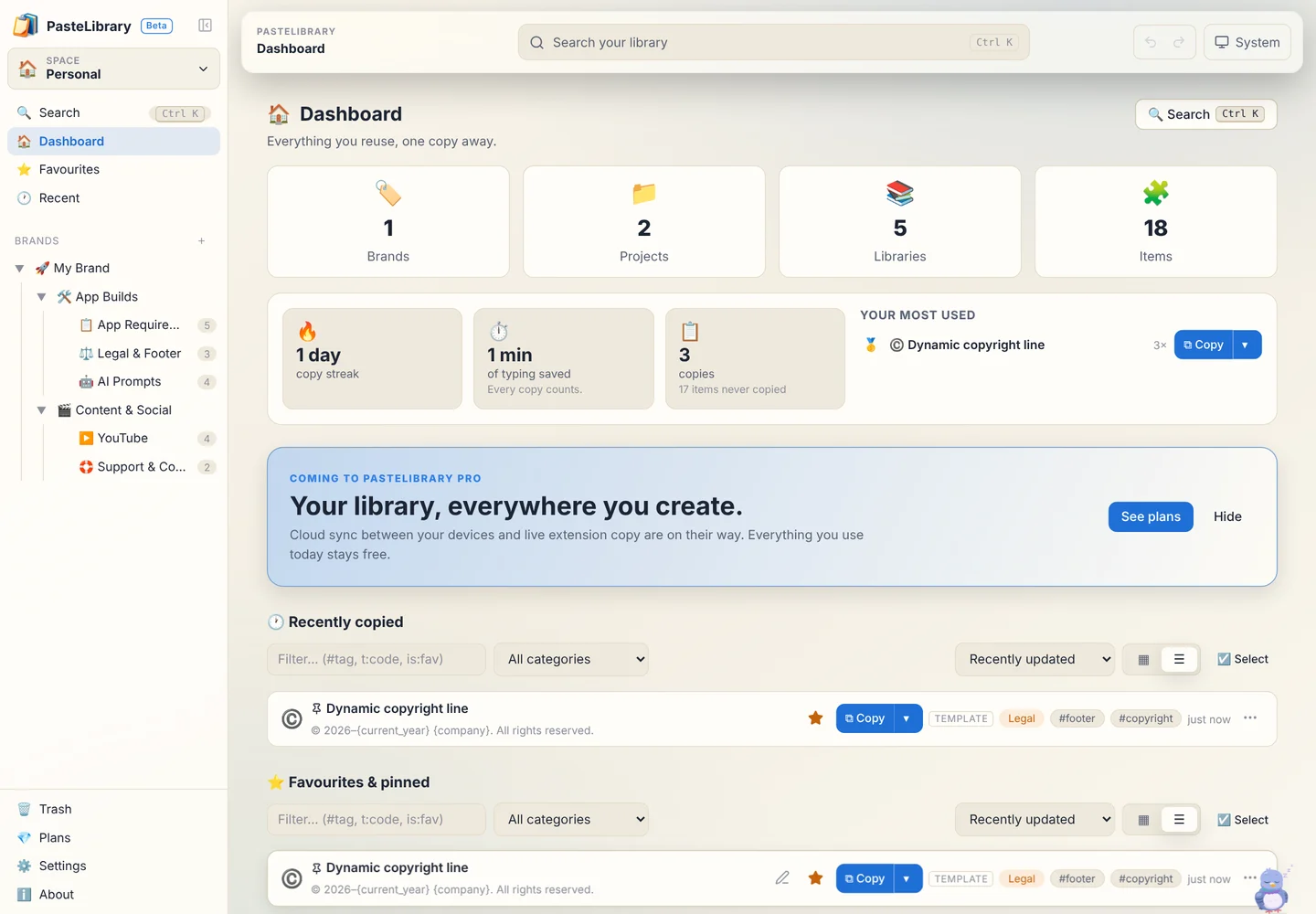
Open it and it works. There's no profile of you to leak.
We never see your snippets, and nothing here trains an AI.
Export everything as one file whenever you like, with a password if you want one.
Each link is off until you switch it on, and only ever speaks to this computer or your own network.
Everything that runs on your device is free, for good. Paid plans will cover the parts that cost money to run: sync, hosted sharing and teams.
Product notes, early access and thoughtful updates. No noisy launch sequence.
Join for product updates and early access. Unsubscribe whenever you like.Clear answers about what works today and what comes next.
 Less typing. More making.